“Why does it feel like we’re always patching problems instead of building a business that runs smoothly?”
That’s the silent frustration many SMB leaders face. Growth should be exciting, but behind the scenes it can feel messy—manual processes slow teams down, disconnected tools create constant errors, and leaders spend more time firefighting than strategising.
The truth is, the way you manage your systems today will determine whether your business scales sustainably or hits a wall. When operations feel clunky, your team burns out, and your growth potential stalls.
Introduction
SMBs are the backbone of Australia’s economy, but many leaders hit the same roadblock: their tools, systems, and processes can’t keep up with their ambition. Manual workarounds, duplicated effort, and scattered data make growth harder than it needs to be.
The following sections breaks down how smarter systems can help you overcome this barrier, plus additional insights to help you rethink your approach to scaling.
The Hidden Cost of Bad Systems
If you think bad systems are just minor issues, think again. You might be draining your business operations and your team productivity. The worst part? You’re preventing your business from scaling (and letting your competitors get ahead of you).
Here are the real costs of bad systems:
- Lost Productivity: Every duplicated task or manual workaround is wasted time that compounds daily.
- Team Burnout: Manual workloads and reactive fixes drain morale and energy.
- Missed Opportunities: When systems don’t provide visibility, leaders make slower or riskier decisions.
- Financial Strain: Investing in patches instead of strategy increases long-term costs.
Research from Xero shows that inefficient operations cost Australian SMBs thousands of productive hours annually—time that could otherwise fuel growth.
What Smarter Systems Look Like (Explained Simply)
Smarter systems are not about buying more tools. They’re about creating a tech ecosystem that scales with you.
Here’s what it means in practice:
Automation: Repetitive tasks are handled in the background so your team can focus on high-value work.
Integration: Your tools “talk” to each other, reducing errors and duplication.
Visibility: Leaders have real-time access to the data that matters.
Roadmap: IT spend and system decisions are tied to business strategy, not just fixes.
Cybersecurity: Protection is embedded, so growth doesn’t expose new risk
Real Business Impact – How Tech Systems Unlock Growth
When systems are aligned to business strategy, the results are immediate and tangible:
Less Chaos: Downtime drops, staff focus improves.
Predictable Growth: With a roadmap in place, leaders stop firefighting.
Empowered Teams: People spend less time on admin and more on value-driving work.
Better Decisions: Real-time visibility means leaders make smarter calls at speed.
Sustainable Scaling: Growth doesn’t come at the cost of staff wellbeing or client trust.
Businesses that have invested in integration and automation often see both reduced errors and higher team morale within months.
How to Choose the Right Approach (or Provider)
Not every system or solution is equal. When choosing your approach (or a partner to help), you should look for:
Business Alignment: Do they understand your growth goals, not just your IT needs?
Proactivity: Are issues prevented before they disrupt operations?
Integration First: Is the focus on connecting tools, not adding more complexity?
Local Understanding: Do they know the challenges SMBs face in your market?
Security Built-In: Growth should not increase cyber risk.
The best approach is a business-first, security-driven strategy. It’s not about technology for technology’s sake, it’s about creating clarity, control, and confidence for leaders.
Make it Easier with Our FREE Downloadable Guide
Ready to start modernising but not sure where to begin?
We’ve created How to Build Systems that Scale, a free downloadable guide to help you take the first steps to scaling smarter, no technical background required.
Inside the guide, you’ll discover:
Practical ways to streamline operations using tools you already have
Tips to boost collaboration, automate routine work, and strengthen security
Easy-to-follow instructions on implementing changes within your team
Download your free guide today! Stop running your business on outdated systems. Start creating workflows that save time, reduce risk, and support your growth.

FAQs
Question: Why do SMBs struggle to scale effectively?
Answer: Most SMBs rely on systems that weren’t designed to handle rapid growth. Manual processes, disconnected tools, and lack of visibility make operations harder to manage as the business expands.
Question: Do I need new software to scale smarter?
Answer: Not always. Often it’s about integrating and automating the tools you already use. The goal is to create a connected ecosystem, not just add more software.
Question: How does automation really help my team?
Answer: Automation reduces repetitive, manual tasks like data entry or approvals. This frees up your team to focus on more valuable work, boosting productivity and morale.
Question: What role does cybersecurity play in scaling?
Answer: Every new tool or process introduces potential risk. Embedding cybersecurity into your systems ensures growth doesn’t come with vulnerabilities that could harm your business.
Question: How do I know when it’s time to rethink my systems?
Answer: If your team is constantly overwhelmed, if errors are increasing, or if leaders are spending more time fixing issues than planning strategy, it’s a clear sign your systems need an upgrade.
Final Thoughts: Scale the Right Way
Scaling doesn’t need to feel chaotic. The right systems give you visibility, control, and a confident path forward—without exhausting your people or leaving gaps in your business.
If your current operations feel like they’re “held together with duct tape,” now is the time to rethink your systems.
Make it Happen Today
Book your free consultation with FusionRed today and discover how to build systems that scale with clarity and resilience.
“If my team already has Microsoft 365, why do our operations still feel stuck in the past?”
That’s the question many business leaders ask themselves. They see their competitors moving faster, collaborating better, and handling change without panic—meanwhile, their own teams are stuck chasing approvals in endless email chains, or digging through old versions of files. The truth is, most SMBs already have the tools to work smarter. They’re just not using them in the right way.
This blog shows you how to turn Microsoft 365 into your competitive advantage, and finally modernise how your team works, communicates, and stays protected.
Introduction
For most small to mid-sized businesses, operational inefficiencies are the silent killers of productivity. Employees waste time hunting for files. Team collaboration gets buried in fragmented email threads. And manual, repetitive tasks keep piling up.
Yet there’s a clear shift in today’s business landscape: smarter companies are winning not by working harder, but by modernising how they operate.
This blog breaks down how SMBs can streamline operations, boost team efficiency, and safeguard business continuity using the powerful (yet often underutilised) tools already within Microsoft 365.
Let’s turn Microsoft 365 from just a subscription into a business game-changer.
What’s Slowing Down Your Business?
Most businesses operate with band-aid systems: scattered file sharing, siloed communication, repetitive tasks handled manually, and tools that don’t talk to each other.
Common problems we hear from SMBs:
“My team is always chasing approvals.”
“We don’t have a centralised place to work.”
“Everyone works differently—nothing is standardised.”
“I’m worried what happens if someone clicks the wrong email.”
These issues are costing you more than just time. They’re impacting:
Productivity: Teams can’t work efficiently if they’re bogged down with friction.
Team morale: Frustration builds when things are harder than they need to be.
Business continuity: One ransomware attack or accidental file loss can halt everything.
So, what are top-performing businesses doing differently? They’ve systemised their operations, and they’re using Microsoft 365 to do it.
What Is Microsoft Bookings?
Microsoft Bookings is an online appointment scheduling tool, included with most Microsoft 365 subscriptions. It lets your clients book time directly into your team’s calendar, based on real-time availability, no emails required.
Key Features:
- Real-Time Scheduling: Clients can see when you’re free and book instantly.
- Automatic Reminders: Reduces no-shows with email and SMS notifications.
- Integration: Syncs with Microsoft Outlook and Teams calendars.
- Customisable Booking Pages: Tailor the booking experience to your brand and business needs.
- Staff Assignments: Set up staff availability, let clients pick a team member, or have Bookings auto-assign.
- Data Security: Built-in with Microsoft 365, so your information stays secure.
How It Works (Simple Flow):
- Set up your services and staff availability in Bookings.
- Share your unique booking page with clients or prospects.
- They select a time that works for them, based on your real availability.
- You both get instant confirmation—and Bookings adds it to your Outlook/Teams calendar.
- Bookings sends automated reminders before the appointment.
Why SMBs Overlook It: Many SMBs don’t realise Bookings is included with their existing Microsoft 365 subscription, or they underestimate the value of scheduling automation.
Unlocking the Full Potential of Microsoft 365
Most business leaders only scratch the surface of Microsoft 365. But beyond the familiar apps lies a powerhouse suite of tools designed to modernise operations.
Here’s what the smart players are leveraging:
- Teams + SharePoint
Centralised communication and document management. Replace endless email threads with structured, transparent collaboration. Teams becomes your digital HQ. - Power Automate
Eliminate repetitive admin work. Automate document approvals, notifications, scheduling, and more. What once took hours now happens in the background. - Microsoft Forms
Streamline data collection for customer feedback, internal surveys, and project intake. No more back-and-forths or disjointed spreadsheets. - OneDrive + Version Control
Access files anytime, anywhere, with confidence. Files are backed up, synced, and trackable, protecting you from human error or ransomware. - Microsoft Defender for Business
Security built in. Protect your business from phishing, malware, and device compromise, all managed from a single admin centre.
This is how modern businesses are building resilience, consistency, and clarity, without needing to buy new software.
What Top Companies Do Differently (That You Can Too)
Smart companies don’t wait for things to break. They proactively design systems that make work easier, faster, and safer.
Here’s what they get right:
Standardised workflows: Everyone works the same way, reducing confusion.
Automated approvals and notifications: Work flows smoothly without bottlenecks.
Remote-ready infrastructure: Teams can work from anywhere without disruptions.
Security-first mindset: Phishing protection, access controls, and endpoint security are embedded into the way they work.
These businesses aren’t necessarily tech experts. They just use what they already have—strategically. And so can you.
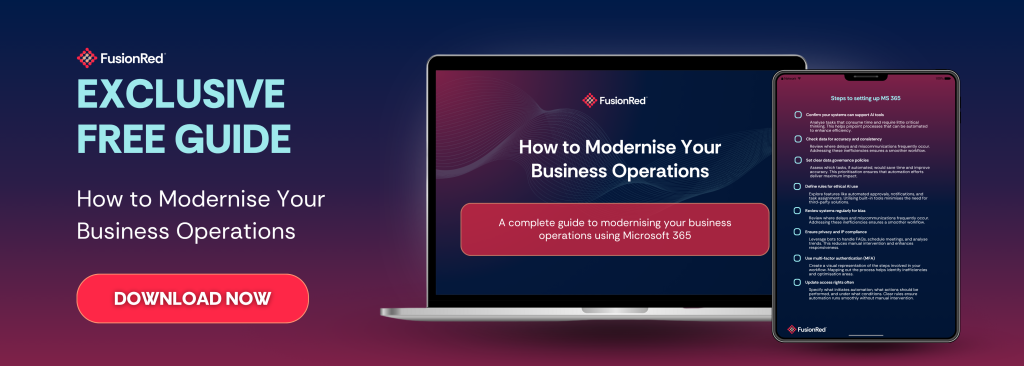
Make it Easier with Our FREE Downloadable Guide
Ready to start modernising, but not sure where to begin?
We’ve created a free downloadable guide to help you take the first steps to modernising your operations using Microsoft 365—no technical background required.
Inside the guide, you’ll discover:
Practical ways to streamline operations using tools you already have
Tips to boost collaboration, automate routine work, and strengthen security
Easy-to-follow instructions on implementing changes within your team
Download your free guide today! Stop running your business on outdated systems. Start creating workflows that save time, reduce risk, and support your growth.
FAQs
Question: Do I need to buy anything new to start modernising?
Answer: No. Everything discussed in this blog is already part of most Microsoft 365 Business subscriptions. And if you don’t have it yet, you can still do it using other alternatives!
Question: Isn’t this too complicated for a small team?
Answer: Modernising isn’t about adding complexity. It’s about removing friction. These tools simplify your operations (regardless of your business size)
Question: Will I need IT staff to manage this?
Answer: Not necessarily. With the right setup and guidance, these tools run quietly in the background. Our free downloadable guide can help you achieve just that!
Final Thoughts: Modernisation is Easier than you Think
You don’t need to keep putting out IT fires or chasing productivity through sheer effort.
Modernisation isn’t out of reach. With the right strategy, guide, and Microsoft 365, you can build systems that support your team, protect your business, and scale your business the modern way!
Let FusionRed help you make it happen.
Book a free consultation with FusionRed. Let’s explore how you’re currently using Microsoft 365 (or not using it enough), and we’ll give you a tailored plan on how to modernise your business using the tools you already have.